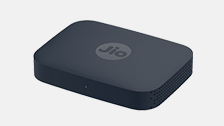
To connect Jio Set Top Box over Wi-Fi with your Jio Home Gateway (Router) via ‘SSID/Wi-Fi name and Password’:
- Ensure that your Ethernet cable is unplugged in case it is connected
- Go to Settings or select Wi-Fi icon on Home Screen
- In settings Select Network
- From an available network tab, select the Wi-Fi (SSID) to which you want to connect your Set Top Box to
- Enter the password for the corresponding SSID
You’ll get acknowledgment screen displaying ‘Successfully Connected’