
JioSphere
JioSphere Web Browser App for Fast, Secure & Private Browsing

Browse in incognito mode, block unwanted ads, and enjoy a safer, cleaner internet experience.
Download JioSphere now


A Web Browser App Built for Everyday Browsing
Everything you need from a modern browser app in one place. Enjoy secure browsing, ad-free web experiences, personalized content discovery, and seamless navigation across your favourite websites and online services.
More freedom, more control
Personalise your home screen and content feed with support for multiple Indian languages.
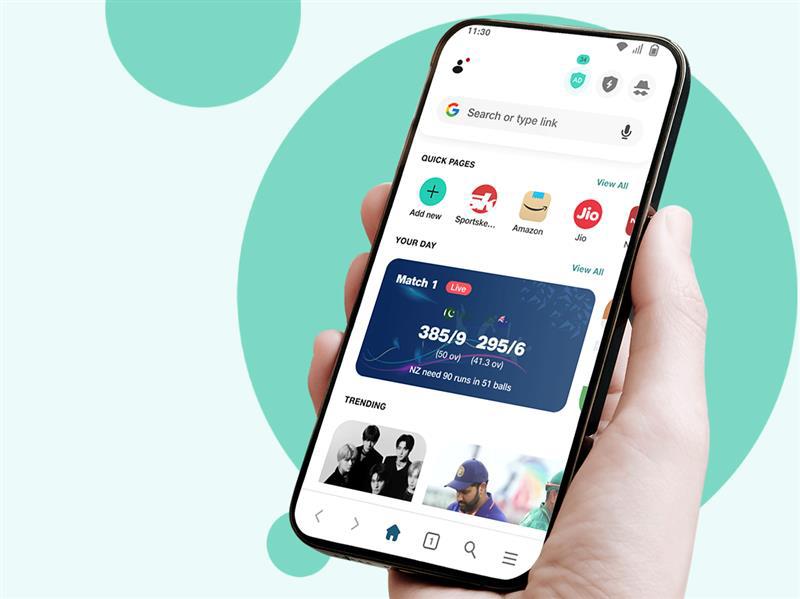
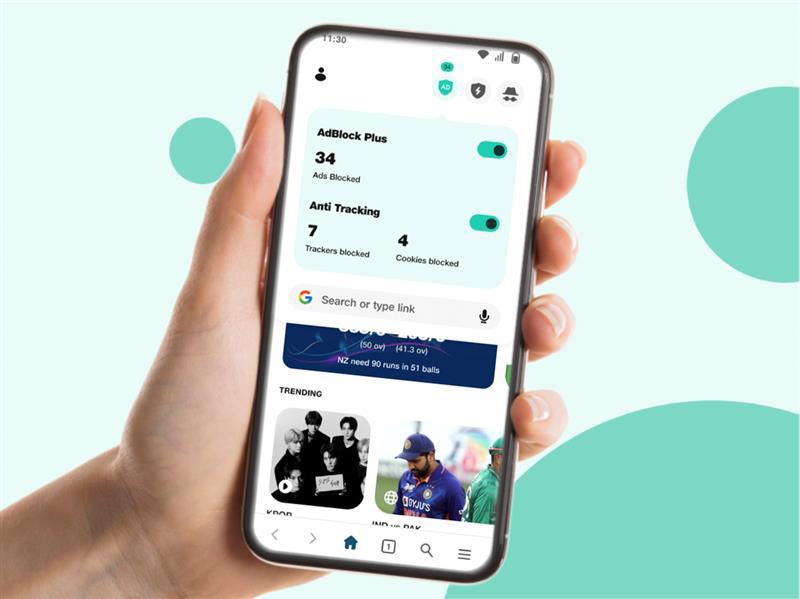
Bid goodbye to intrusive ads
Block unwanted ads and enjoy a cleaner, faster, and distraction-free online experience.
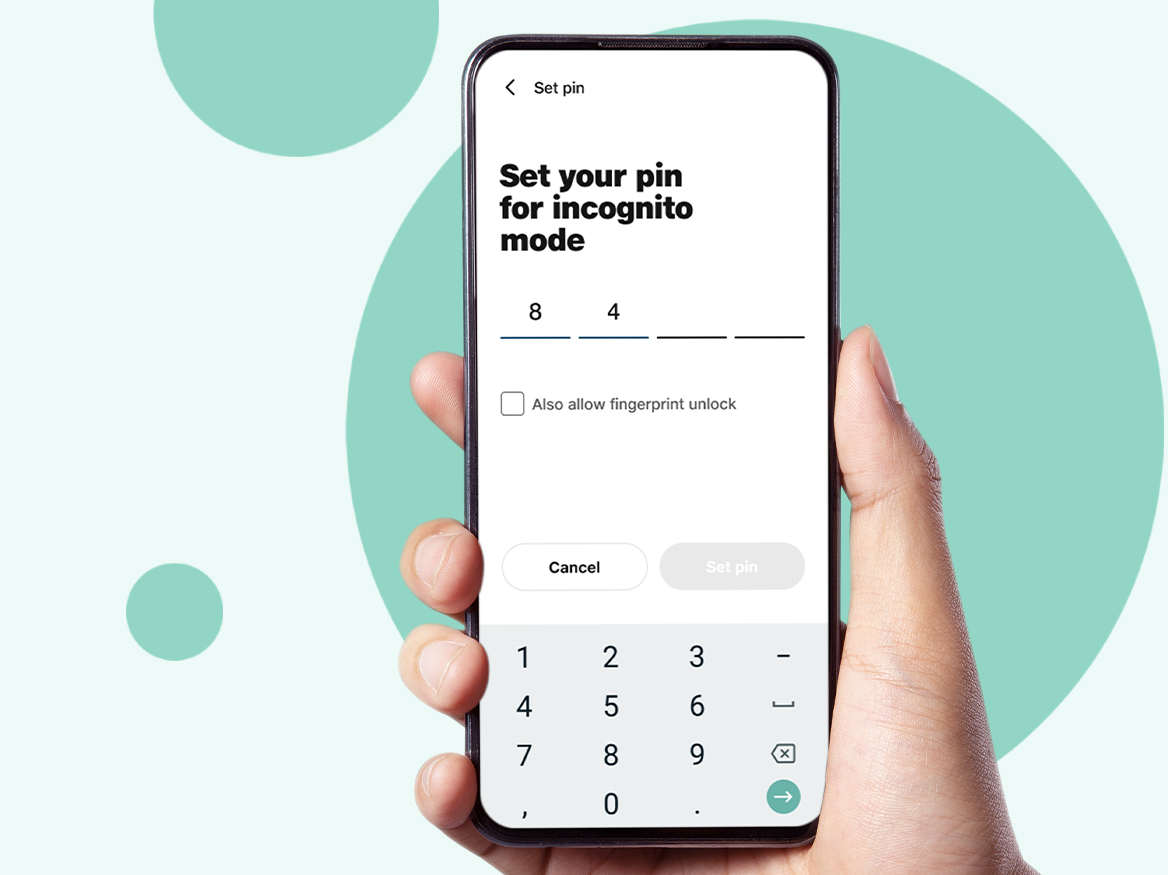
Smooth navigation, secure interface
Save important pages, use incognito mode, and protect sensitive information with PIN-secured access.
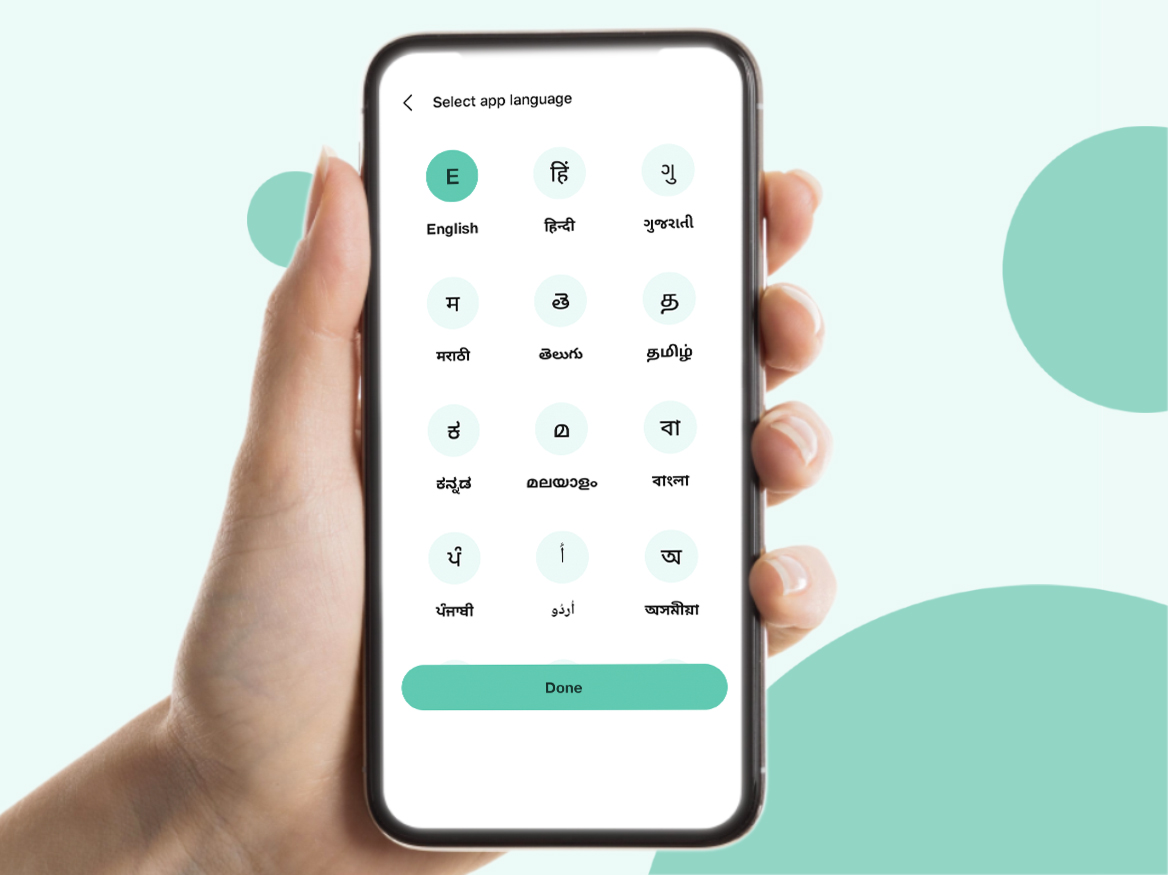
Browse the web in your own language
Choose from 20+ Indian languages and discover content and news in the language you prefer.
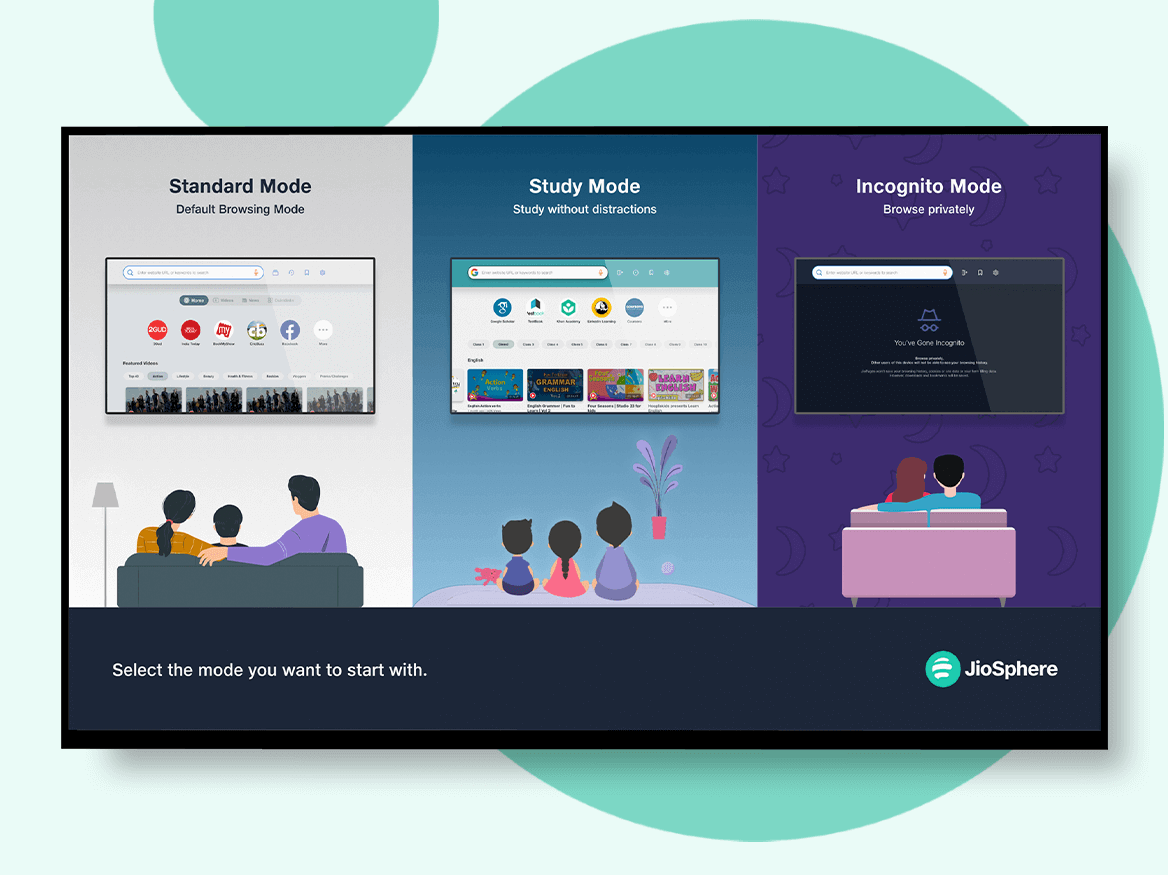
Download JioSphere on your Android Smart TV
Enjoy a seamless internet experience on your Android Smart TV with easy navigation and smart features.
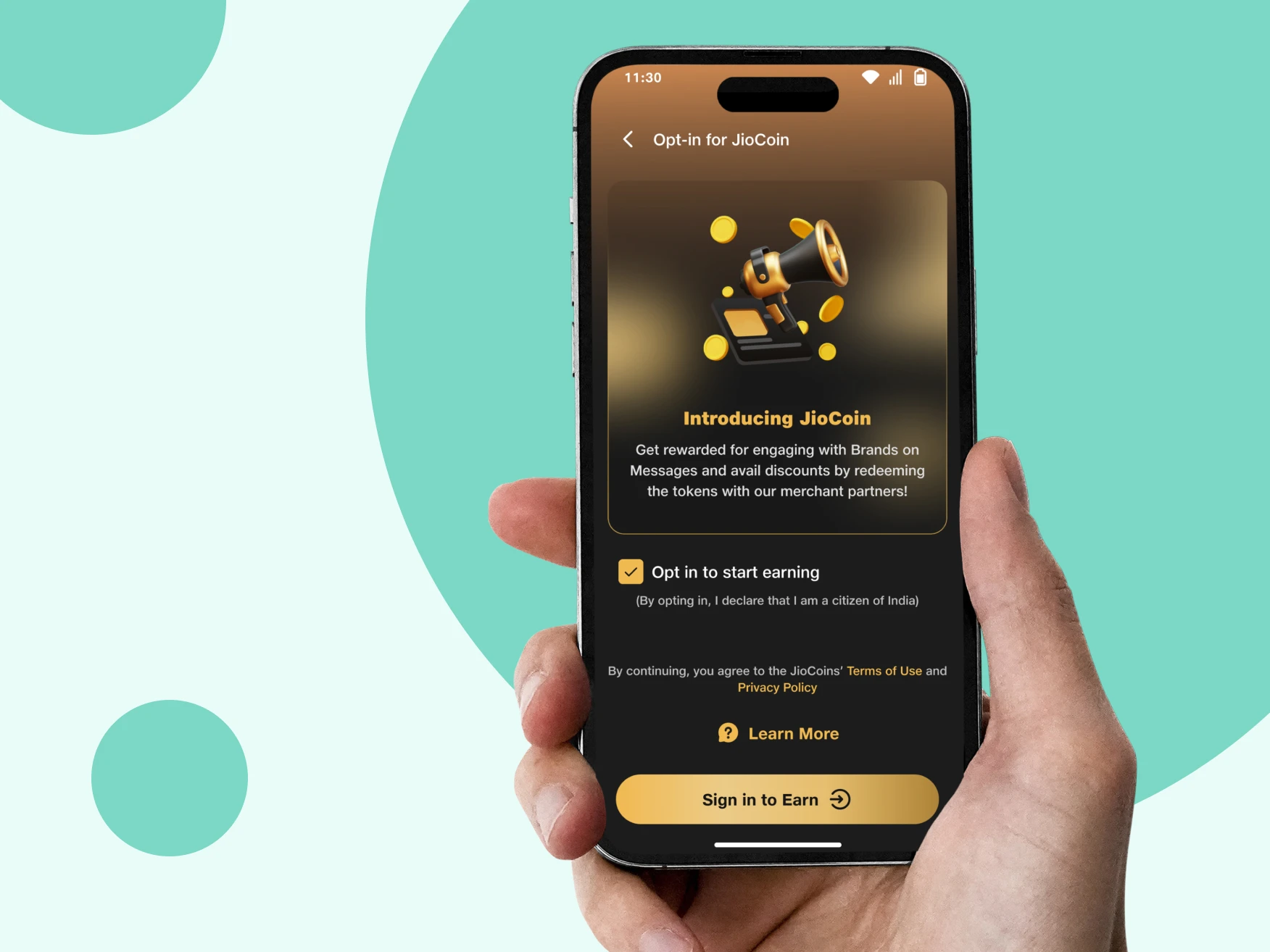
Earn Rewards While You Browse
Earn JioCoins as you explore content and interact with features across JioSphere.
Discover a Better Web Browsing Experience
Smart browser app with smart in-app features
Do more than just browsing
Read news, shop online, get sports updates, watch viral videos, play games and watch entertaining content, and keep up with Bollywood news, on JioSphere (formerly JioPages) app.
Downloading just got smarter
This advanced browser makes content management on your device much easier. You enjoy better control over downloads with auto-categorisation of files based on the file type.
Browse content the way you like
Personalise your home screen. Only see what you like. Customise your language, news feed and mode of browsing, add quick links, pin score cards, and get entertained in your language.
Entertainment on your browser
Watch short videos, trending series, and viral content in the Watch section, that too in your language. Play games and participate in quizzes on this made-in-India web browser.
Committed to your digital privacy
Did you know there is a web browser that can password-protect your incognito mode? With our homegrown browser, connect to a free VPN, browse privately, and enjoy secure browsing.
Why Users Choose JioSphere Browser App
I really liked the fresh and new interface of JioSphere. I enjoy using the Incognito Mode with a PIN authentication. It has a faster load page. The download speed is also good. The files automatically get categorised after download. One of the best Indian browsers!

Prabhavathi P.
I am happy with the ad-free browsing feature across all the web pages. The ads that get blocked are visible on the right-hand corner of the home screen. Now, I can see the number of ads that have been blocked, access a free VPN by watching a few ads, and browse privately with a secured Incognito Mode.

Mandar Joshi
JioSphere has the best customisation options that I have seen so far. I love the fact that now I can customise my feed and choose how my home screen will look. Under the profile section, I can also personalise my browsing experience.

Arushi Srivastava
It is very easy to navigate on the JioSphere app. The web pages load really fast, and the app is also very convenient to use. I follow the cricket score with the live match cards on the app even while I am in the office. Perfect for cricket lovers.

Chetan G.


FAQs About JioSphere Browser App
How can I download and install JioSphere web browser on your android phone?
To download JioSphere browser on your android phone, just go to Google Play Store and search for JioSphere. You can download and install the app. Else click on the JioSphere download link below to download it on your phone.
Does JioSphere have VPN?
Yes. JioSphere has an in-built VPN which can be activated in a single click. The VPN button is available on the right side of the search engine and also in the settings menu. You can activate it for a few hours or an entire day. Based on your choice, you will have to see few short ads. Free VPNs generally lowers your browsing speed drastically, but that is not the case with JioSphere. You get your regular internet speed provided by your ISP by connecting to our VPN.
How to choose any language on JioSphere?
JioSphere allows to change the language for better browsing experience. You can do so by the following steps:
- Tap on the hamburger menu
- Tap on ‘Settings’ and then select the ‘Preference’ option.
- Click on ‘select app language’ and choose the preferred language.
- The language for news can be selected by clicking on ‘Select language for news’
To select a language for BingeWatch,
- Tap on BingeWatch icon
- Tap on the ‘A’ icon on the top right corner of the BingeWatch homescreen
- Select your preferred language
How do I share websites from JioSphere?
Once you are on the website you want to share, follow these steps:
- Tap on the hamburger menu at the bottom right corner
- Tap on 'Share' under web actions
- Choose whether you want to share it via social media apps, email, or other options
- Select the contact or group and share it!
How to create a shortcut on the home screen of JioSphere?
To create a shortcut on the home screen of JioSphere, follow these steps:
- Open the website on JioSphere
- Tap on the hamburger menu
- Select the 'Create Web App' option
- Click on 'Add' and it's done

